
Quickstart
Choose an Energy amount and rental period, enter the wallet that will use it, and pay the quoted TRX amount. Delegation is processed after payment confirmation. Follow progress on your order page.
Before you start: identify the wallet using Energy
Enter the wallet that will SEND USDT or call the contract, not the USDT recipient.
- Use a 34-character TRON address starting with
T, such as one from TronLink, TokenPocket or imToken. - Do not use an exchange deposit address you cannot operate.
- You may pay for someone else, but Energy must go to the wallet performing the operation.
- If that wallet is not activated on-chain, the quote lists the applicable activation fee. This is separate from whether it is your first order or whether the USDT recipient holds USDT.
- The test environment uses Nile. Mainnet TRX cannot pay for a Nile order. Check the network shown before ordering.
Step 1: choose amount and duration
Open the rental page:
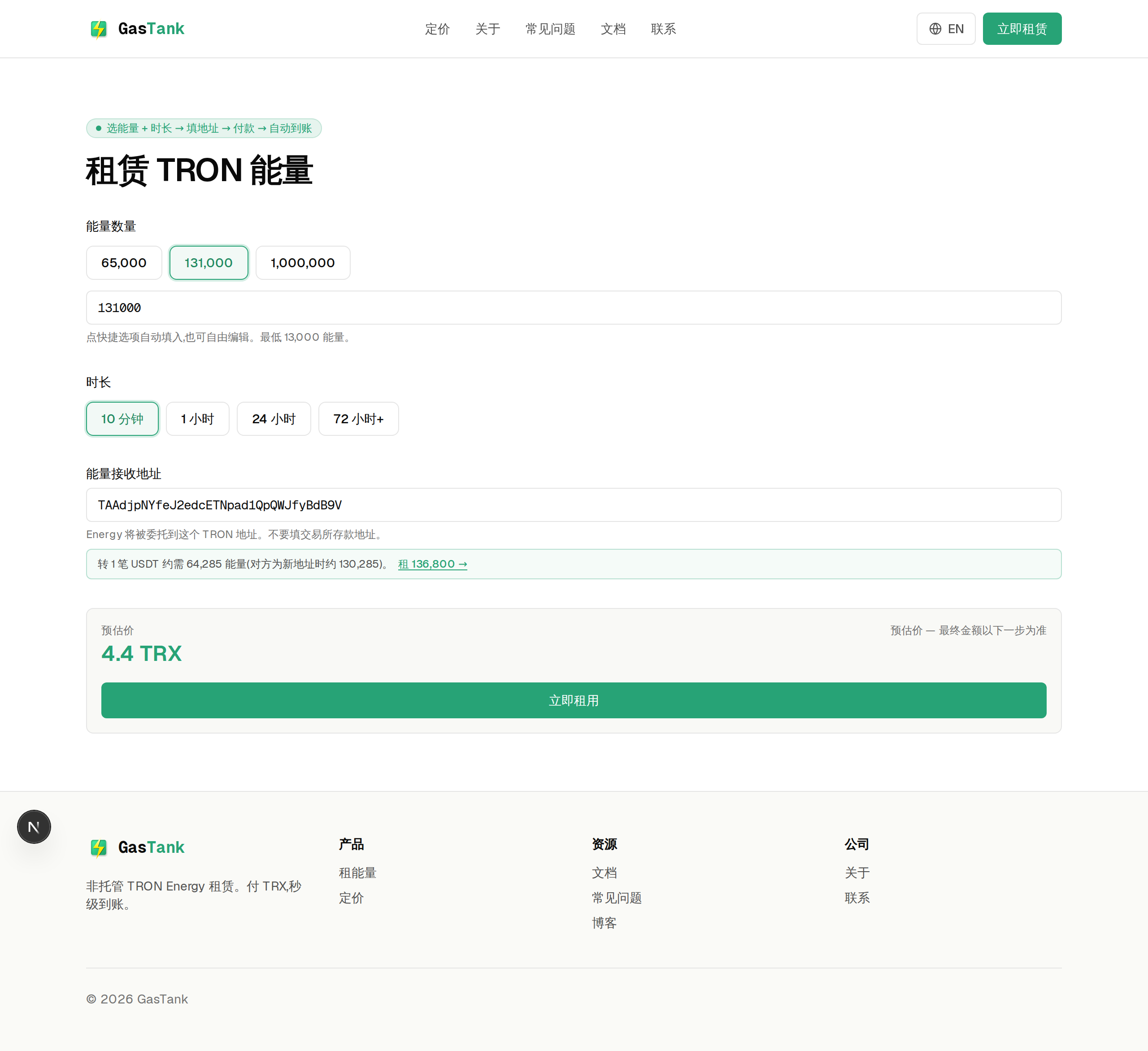
- Energy amount: select a preset such as 65,000, 131,000 or 1,000,000, or enter your own amount. Common USDT reference estimates are about 65,000 when the recipient holds USDT and about 131,000 when they do not. Actual usage can change.
- Duration: the page offers 10 minutes, 1 hour, 24 hours and 72 hours. Choose a period covering when you plan to transact. A longer period does not mean unlimited Energy.
- Suggested amount: a usage hint may appear after you enter the wallet. It is an estimate, not a guarantee of the cost of every transfer.
The estimated price updates with your selection. The final quote may also include activation if the wallet is not activated.
Step 2: create a payment quote
Click “Create payment quote” and review the payment card:
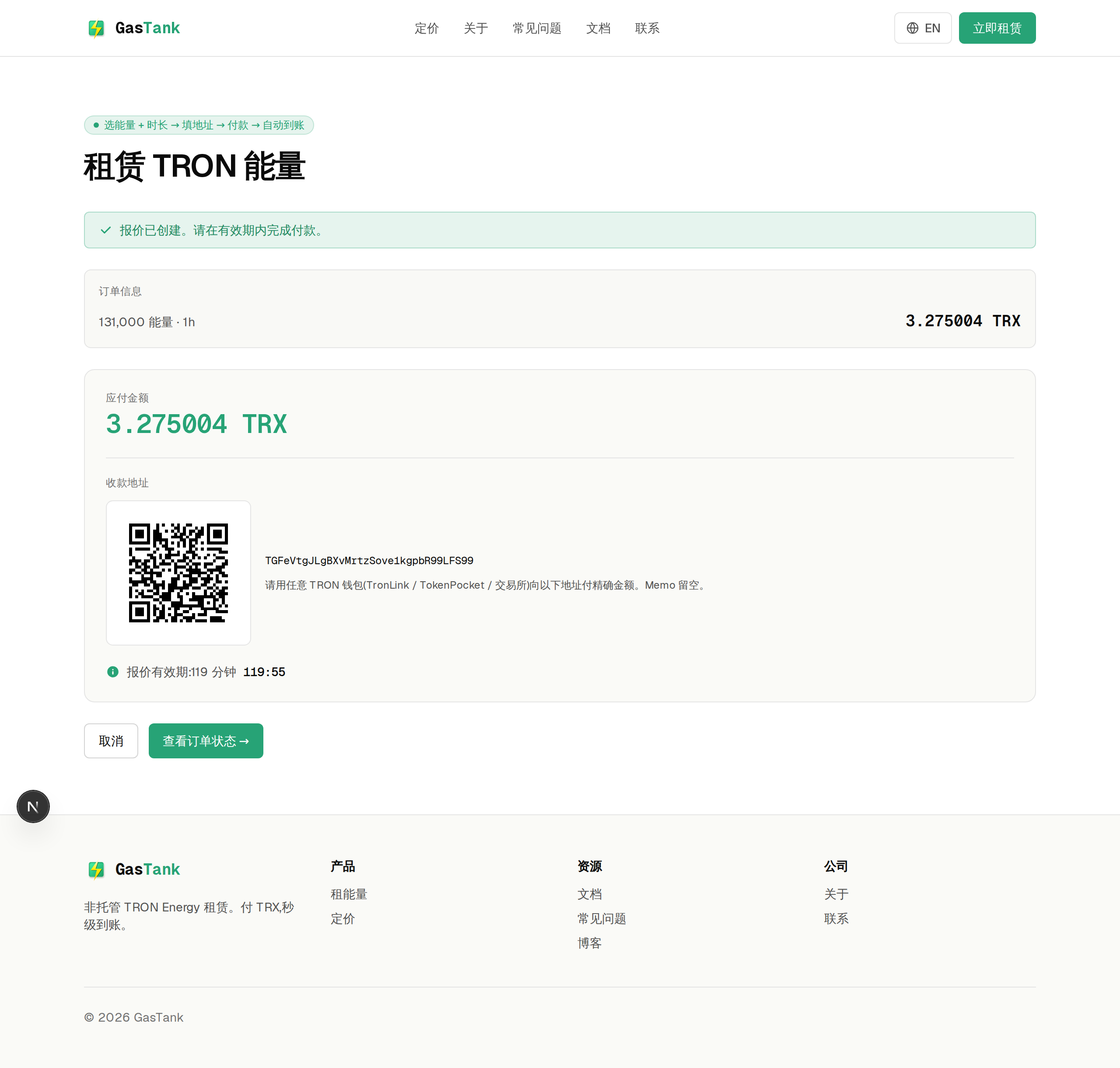
- Check network, address and amount: pay TRX on the TRON network only. The amount actually received must exactly match the quote. Do not round. Check any amount filled in by the QR code against the page.
- Account for wallet or exchange fees: prefer a personal wallet supporting exact transfers. For exchange withdrawals, check deductions, minimums, decimal precision and delivery time first.
- Pay before expiry: quotes last 2 hours. Allow time for chain confirmation. Create a new quote only if the old one expired unpaid.
The final amount may include activation and a small adjustment used to identify your payment. Network fees for the payment transaction are separate.
Step 3: track your order
After paying, click “Track order status”. Save your order link and payment transaction hash (txid). Do not pay again just because the status has not updated.
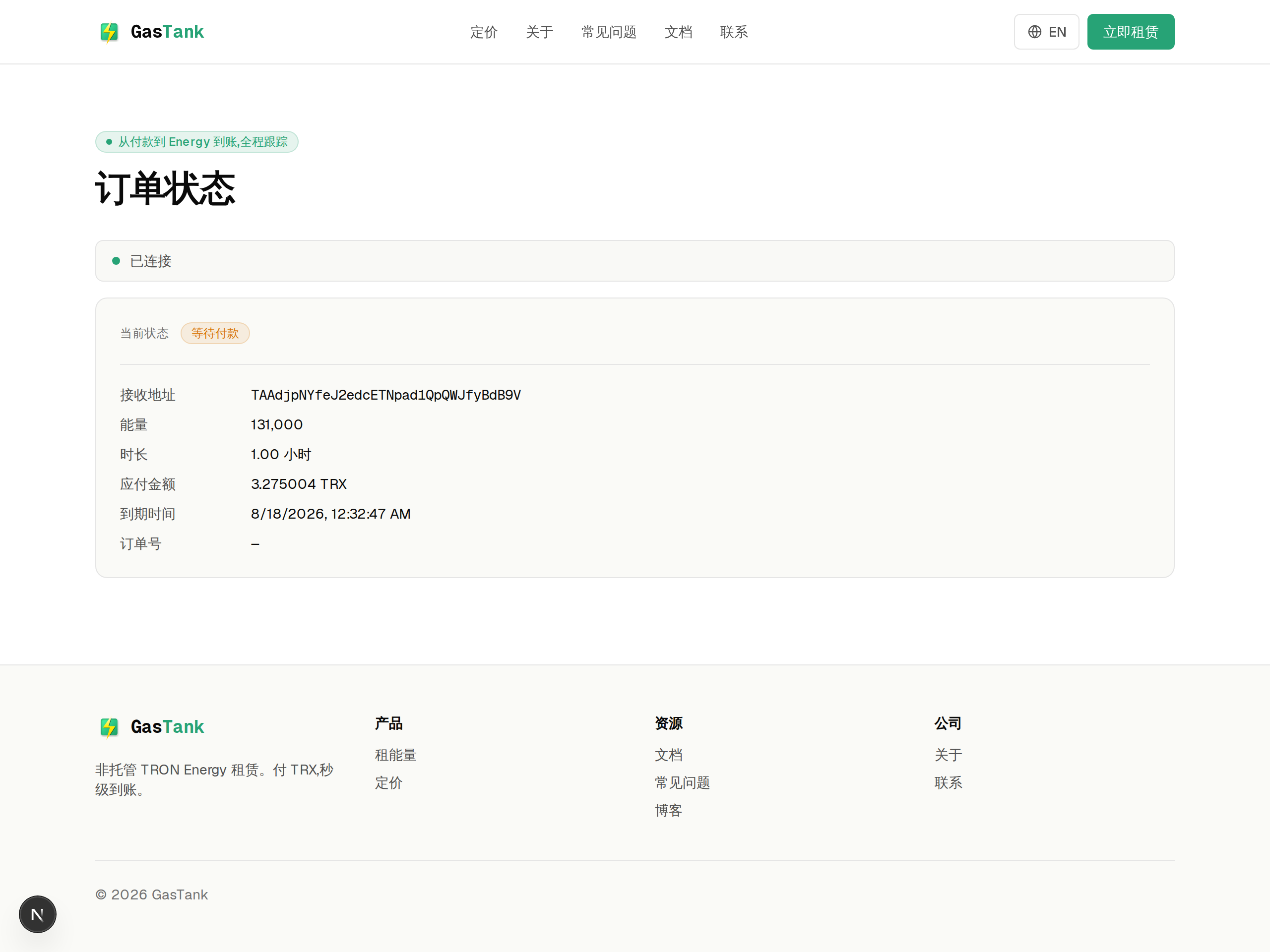
The system processes delegation after on-chain payment confirmation. Block confirmation, node responses and available resources affect timing. “Live updates connected” only means the update connection is working; it does not confirm payment or active Energy.
Once the order shows “Energy active”, check the available Energy in your wallet before transacting. Insufficient Energy or Bandwidth may still result in TRX network fees.
After expiry
The rental period starts after delegation confirmation. Reclaim is scheduled at expiry, without automatic renewal or charging. Follow its progress on the order page.
Paid, but the status has not changed?
Check the network, payment address, received amount and payment time. Use the transaction hash to check on-chain status. Confirmation delays, an unmatched amount or a processing problem may be responsible; elapsed time alone does not identify the cause.
Do not send a top-up or pay again. Keep the original quote ID, payment transaction hash, amount and wallet address. Request a check through the channels published on the contact page. There are no automatic refunds; the outcome depends on verification. If support channels are not yet open, retain these records.
Screenshots illustrate the steps. Refer to the current page for wording and amounts.